


Alcoin
One tap. That's your budget.
Type an amount, tap a category, done. The fastest way to track your spending, with a little dog that wags its tail every time you record. Share a book with family, keep period books for trips and events, record in 17 currencies, and use Apple Watch, Siri and widgets. Your personal book is free forever.

Everything you need, nothing you don't
Built for recording in seconds, every day.
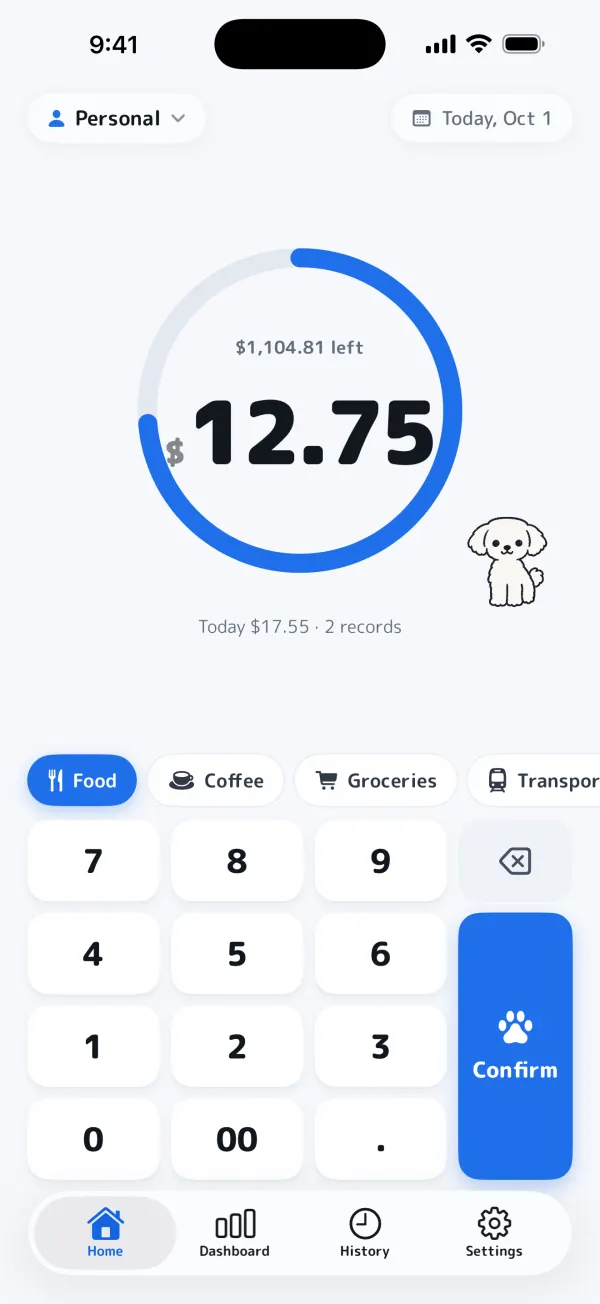
The fastest input
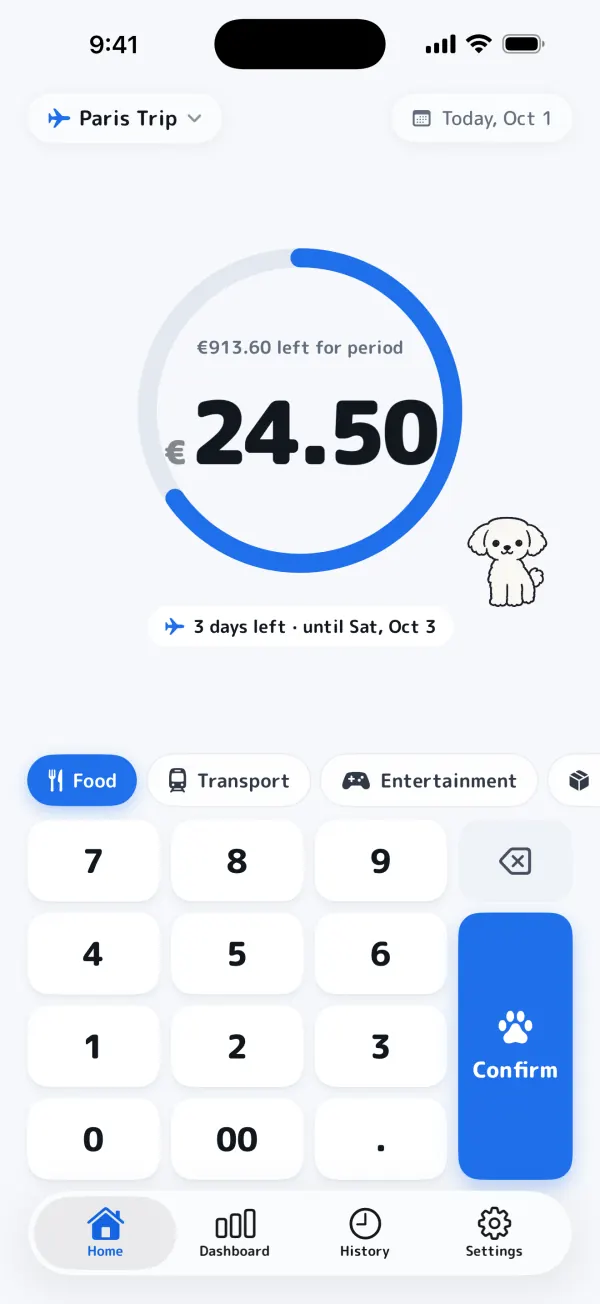
Alcoin opens straight to the keypad. Type the amount, tap a category, and it's saved in two taps.
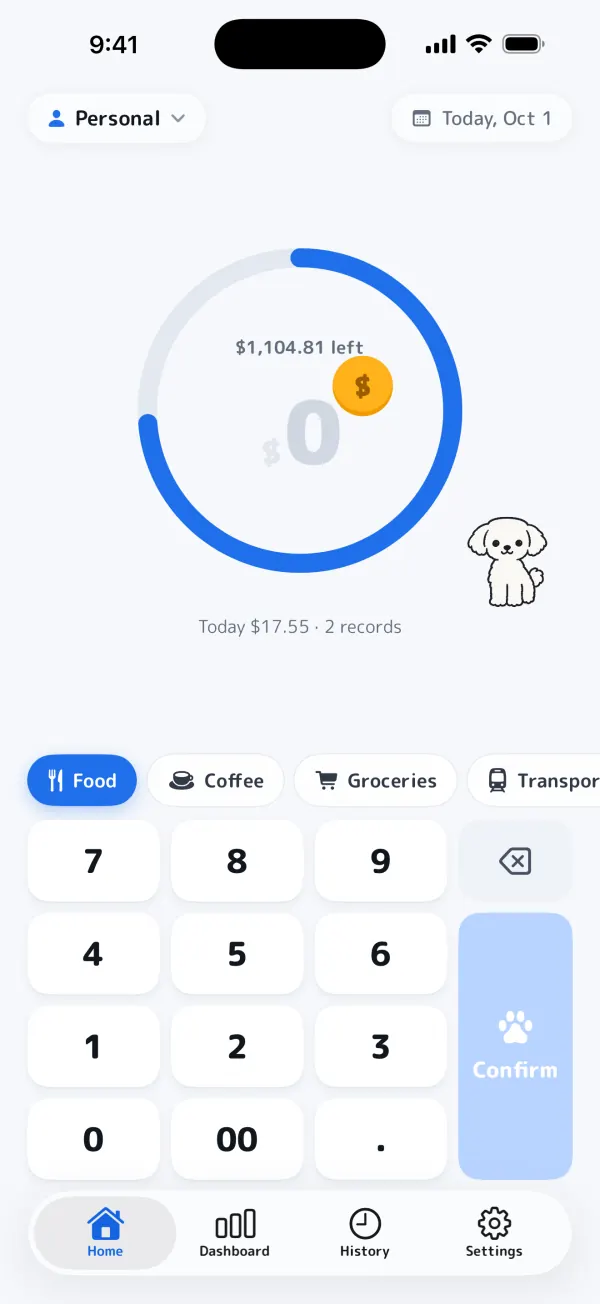
A buddy that cheers you on
A coin flies over and your little dog wags its tail every time you record.
Budget ring
See what's left this month at a glance. Start your month on payday if you like.
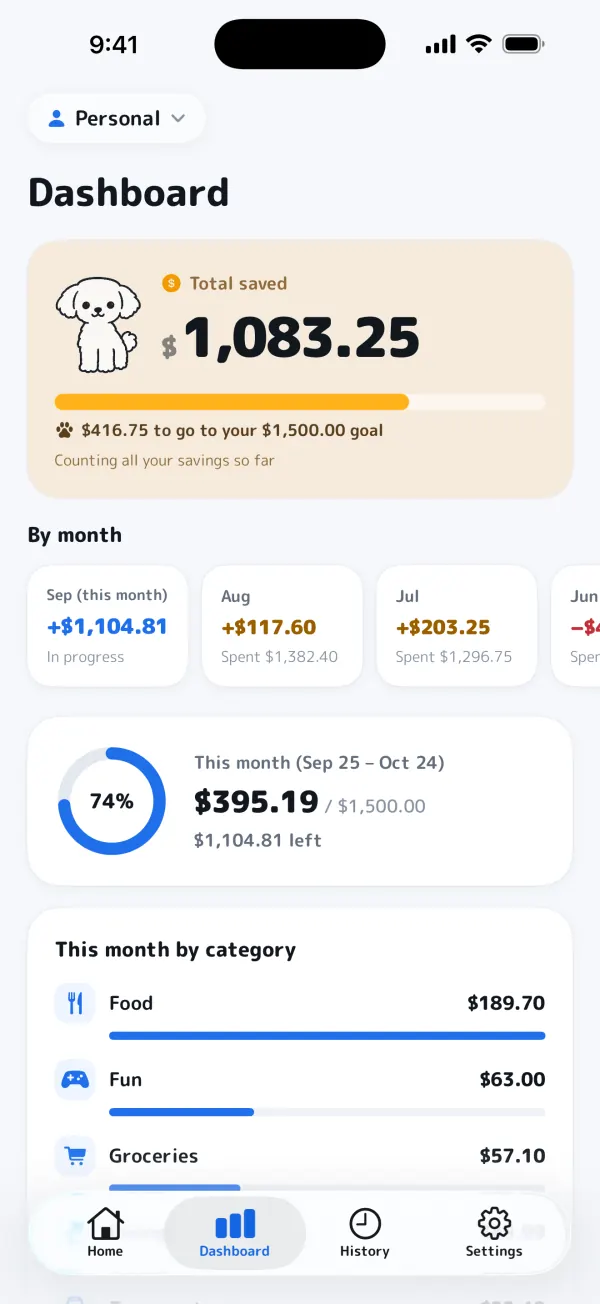
Dashboard & savings
Spending by month and category, your total savings and progress toward a savings goal.
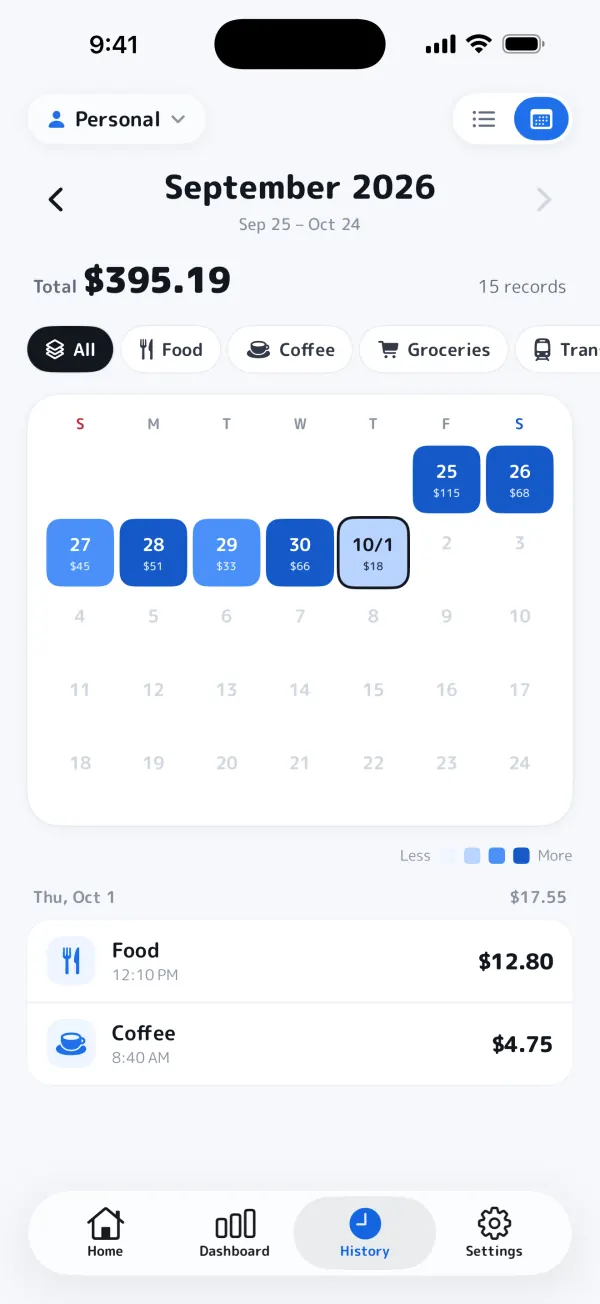
History as a list or calendar
Look back day by day, filter by category and edit any record. Record for past dates, too.
Transfer code for a new iPhone
Issue a code on your old iPhone and enter it on the new one. Your books, settings and Plus come with you.
No sign-up, private by design
No email or phone number needed. Your personal book stays on your iPhone and works fully offline. No ads, no tracking. In English and Japanese.
A closer look
Shared books with family and friends
For couples, families, clubs and shared houses: one book, kept together.
1.Create a book
Give it a name and an icon: “Family”, “Tennis club”, “Shared house”.
2.Invite
Share a code, a QR code or a link. Invites expire after 48 hours. Joining is free.
3.Everyone records
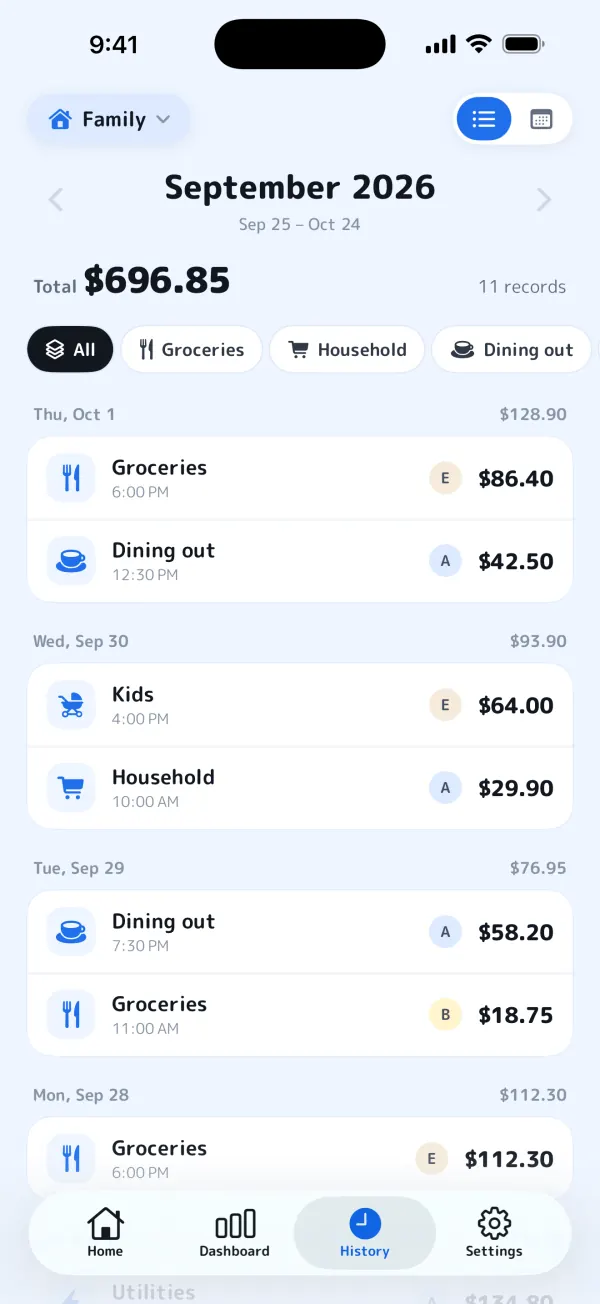
Every member can add and edit expenses. Changes sync to everyone's iPhone automatically.
Record notifications
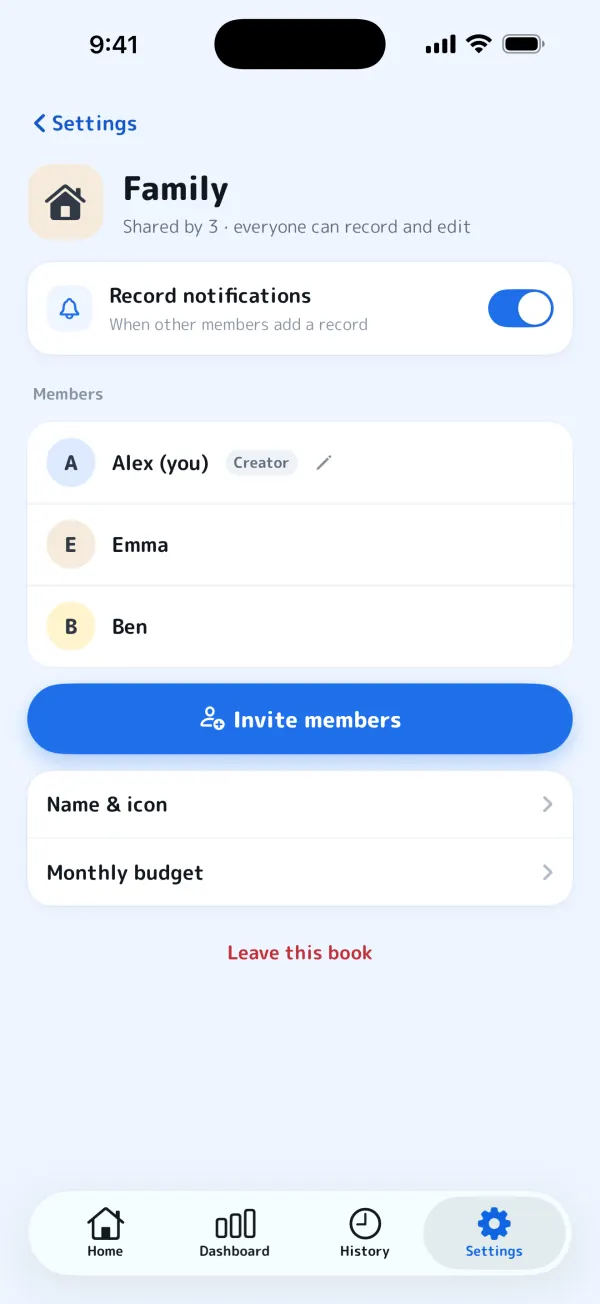
Get notified when someone else records. Turn it on or off for each book.
See who recorded what
Every record in the history shows the member who added it.
A name for each book
Choose a display name for each shared book and change it anytime. No sign-up needed.
Manage members
The creator can remove members, and anyone can leave a book at any time.
Creating a shared book needs Alcoin Plus; joining one is free. Make as many books as you like and switch between them from Home.
Period books for trips and events
Set the dates and a budget, and keep a book just for that time.
What's left, and days to go
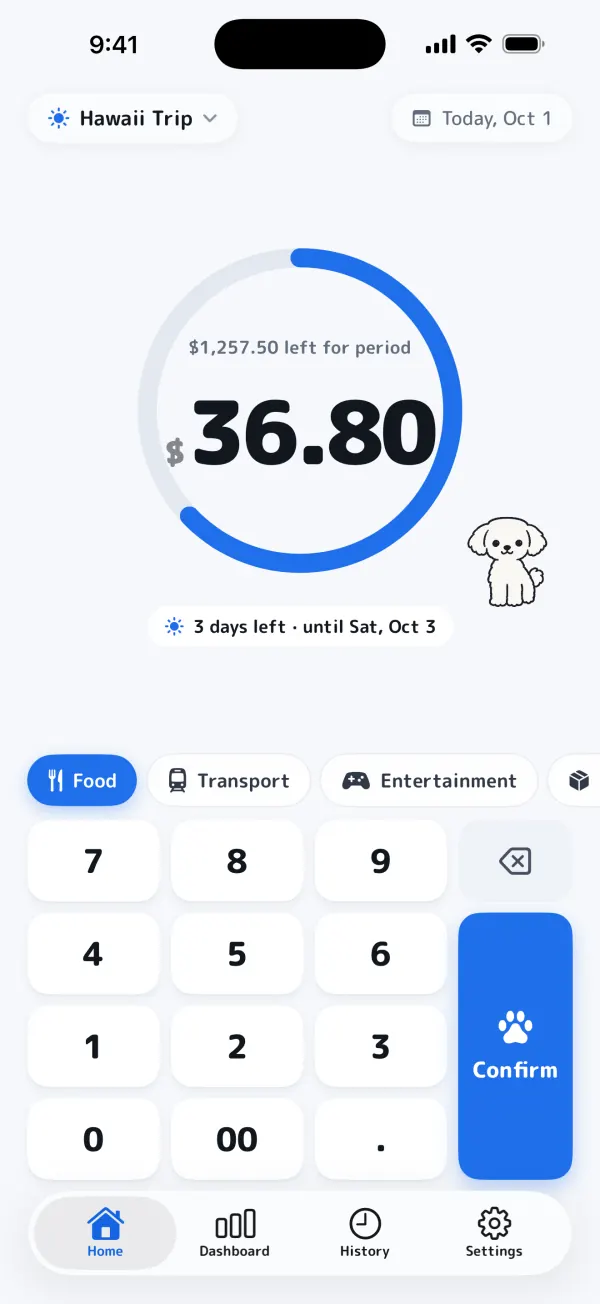
During a trip, Home shows what's left for the period and how many days remain.
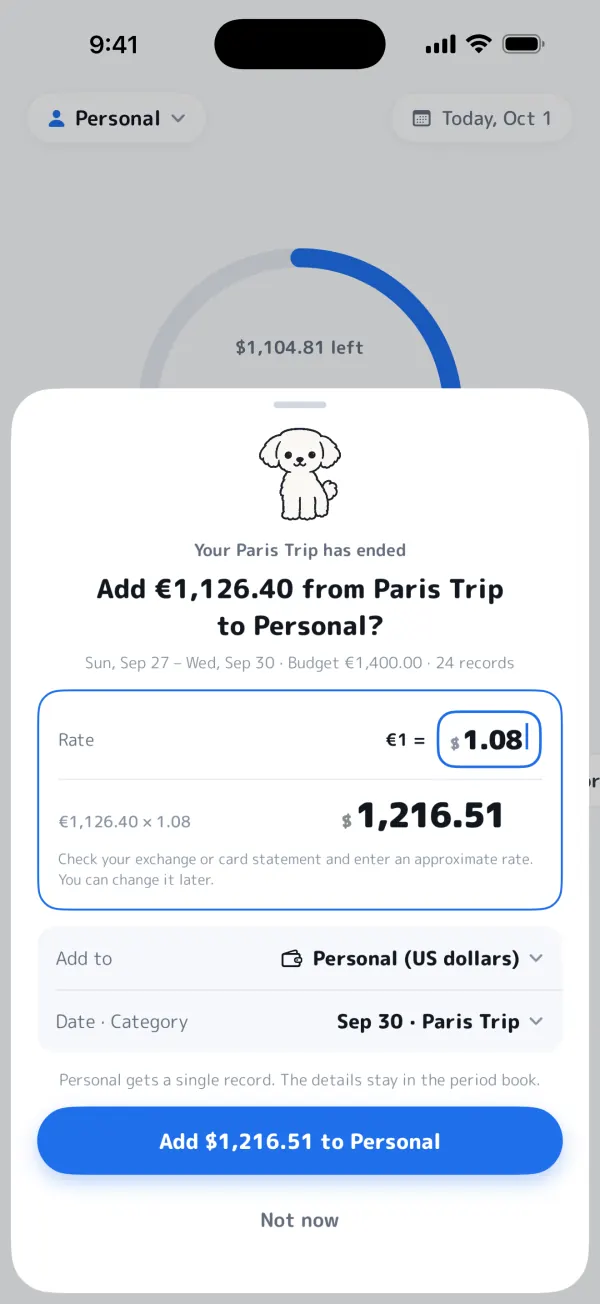
Merge it as one entry
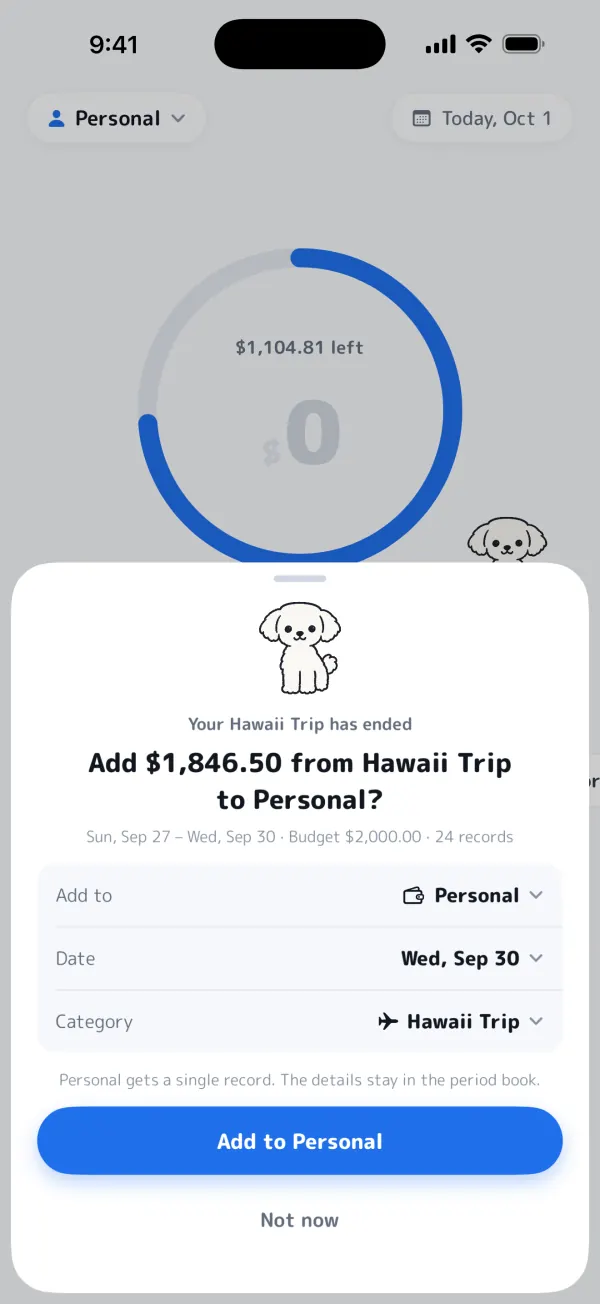
When it ends, add it to your usual book as a single entry. The details stay in the period book.
Solo or together
One solo period book at a time is free. Make it a shared book to record with your travel buddies.
17 currencies
Record abroad in the local currency, and convert when you're home.
A currency for each book
Yen, dollars, euros, pounds, won, baht and more. Choose from 17 currencies per book.
Convert later, at your rate
Convert records in another currency at the rate you enter, say from your card statement. The original amount and rate are kept.
On Apple Watch
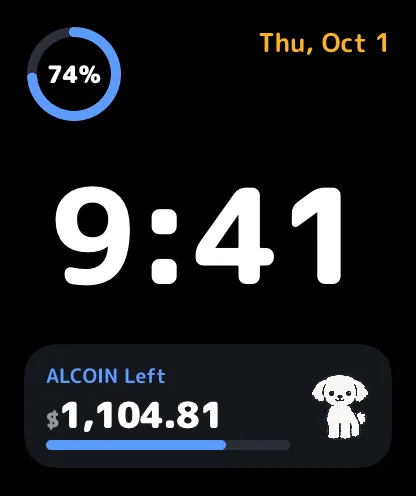
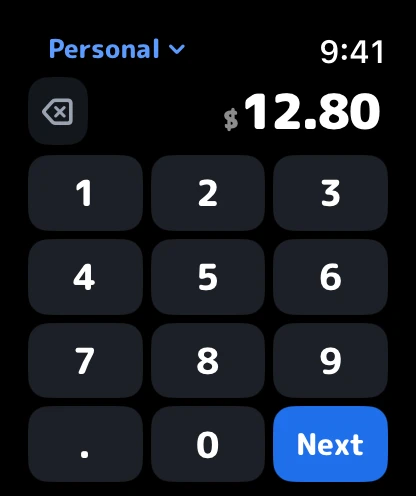
Check what's left and record on the spot, right from your wrist.
- Watch face
- 1. Amount → Next
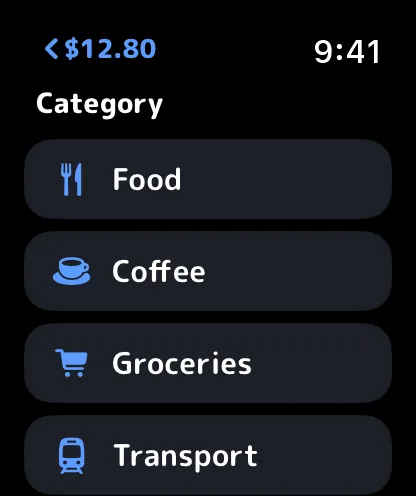
- 2. Category
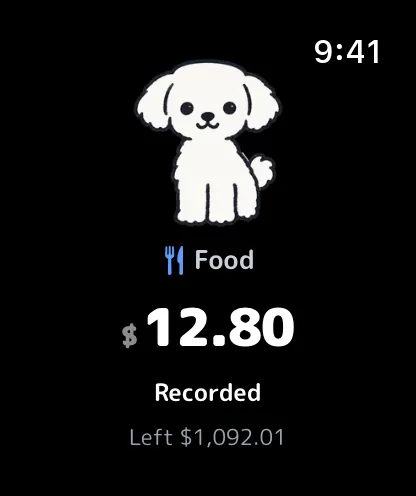
- 3. Recorded!
- Smart Stack
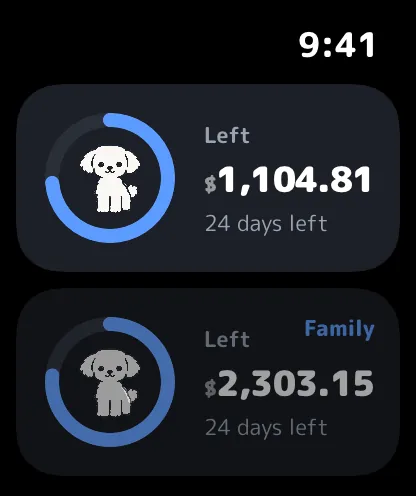
Your budget on the watch face
Add a complication to see this month's remaining budget at a glance. It shows up in the Smart Stack, too.
Record in a few taps
Enter the amount, tap Next and pick a category. Your buddy celebrates every record.
Record with Siri
Just ask Siri on your watch to record an expense in Alcoin.
Works through your iPhone
Alcoin on your watch works with Alcoin on your paired iPhone. No sign-in needed.
Requires watchOS 11 or later and an iPhone with Alcoin installed. The Apple Watch app is free.
Widgets & Siri
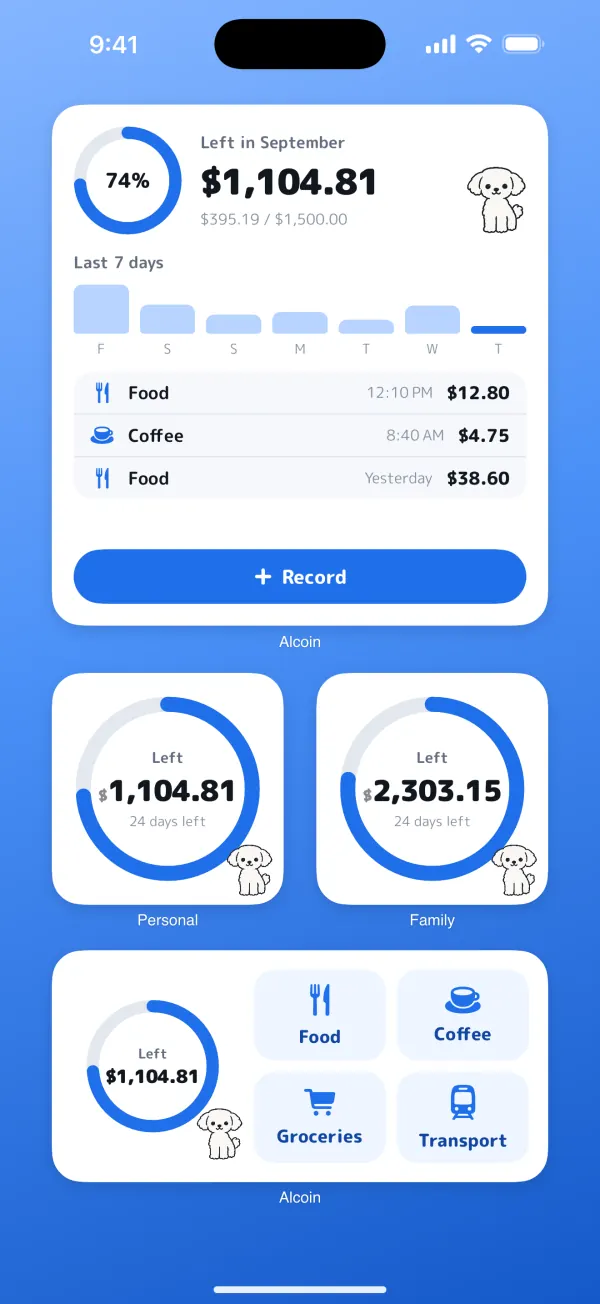
Check what's left and start recording without opening the app.
Home Screen
Small, medium and large widgets: what's left in each book, recent records and the last 7 days.
Lock Screen & StandBy
See this month's remaining budget without unlocking your iPhone.
Siri & Shortcuts
Say “Record an expense in Alcoin” or “How much is left in Alcoin”.


Pricing
Your personal book is free forever.
Free
¥0forever
- Personal book with every feature
- Apple Watch, widgets & Siri
- One solo period book at a time
- Join shared books you're invited to
Alcoin Plus
¥100/ month
or ¥1,000 / year
- Create shared books, as many as you like
- Use two or more solo period books at the same time
- Everything in Free
If the paying member's Plus ends, the shared book becomes view-only for everyone. Any member with Plus can take over as the payer to keep recording.
Alcoin Plus is an auto-renewable subscription. Payment is charged to your Apple Account at confirmation of purchase. It renews automatically unless auto-renew is turned off at least 24 hours before the end of the current period. Manage or cancel it anytime in your App Store account settings. Prices shown are for Japan, tax included; prices in other countries or regions may differ and are shown in the app. Terms of Use / Privacy Policy
Your personal book stays on your iPhone
Your personal book and solo period books are stored only on your iPhone and never sent to our server (when you use a transfer code, we briefly hold the data encrypted, in a form we can't read). Shared books are stored on our server in Tokyo (AWS) so members can sync. No ads, no analytics, no tracking, and we never sell your data.
Read the Privacy Policy