


Alcook
Your saved recipes, this week's dinners.
Save the recipes you find in screenshots, on the web, on Instagram or in LINE into your own recipe book. Alcook plans this week's dinners from it and gathers the ingredients into one shopping list. Tap “Made it!” when you've cooked, and keep a photo of the dish. Using it on your own is always free.
Alcook is coming soon to the App Store
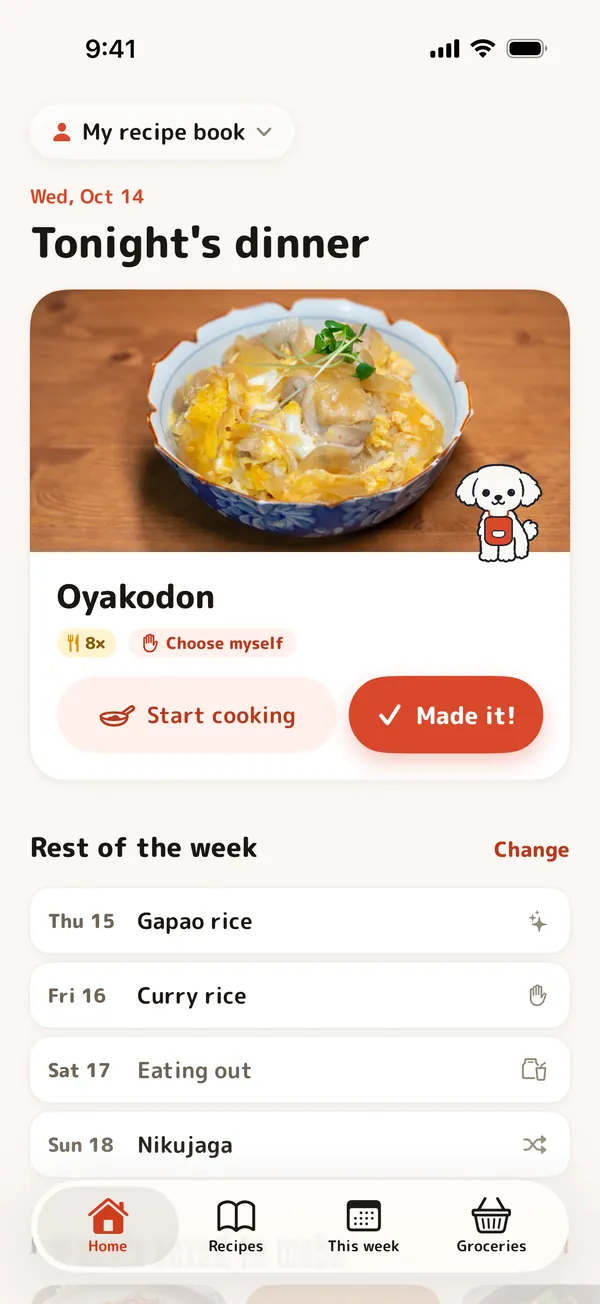
From a screenshot to dinner on the table
Save it, plan it, buy it, cook it.
Save from anywhere
Screenshots, web pages, Instagram and LINE posts. A dish's name is enough to save it.
This week's dinners, planned
Choose how each day is decided and Alcook fills in the dish. “Surprise me” never repeats a dish in the same week.
One shopping list
The ingredients of the week's dinners are gathered in one list, with the same ingredients added up.
Cooking mode
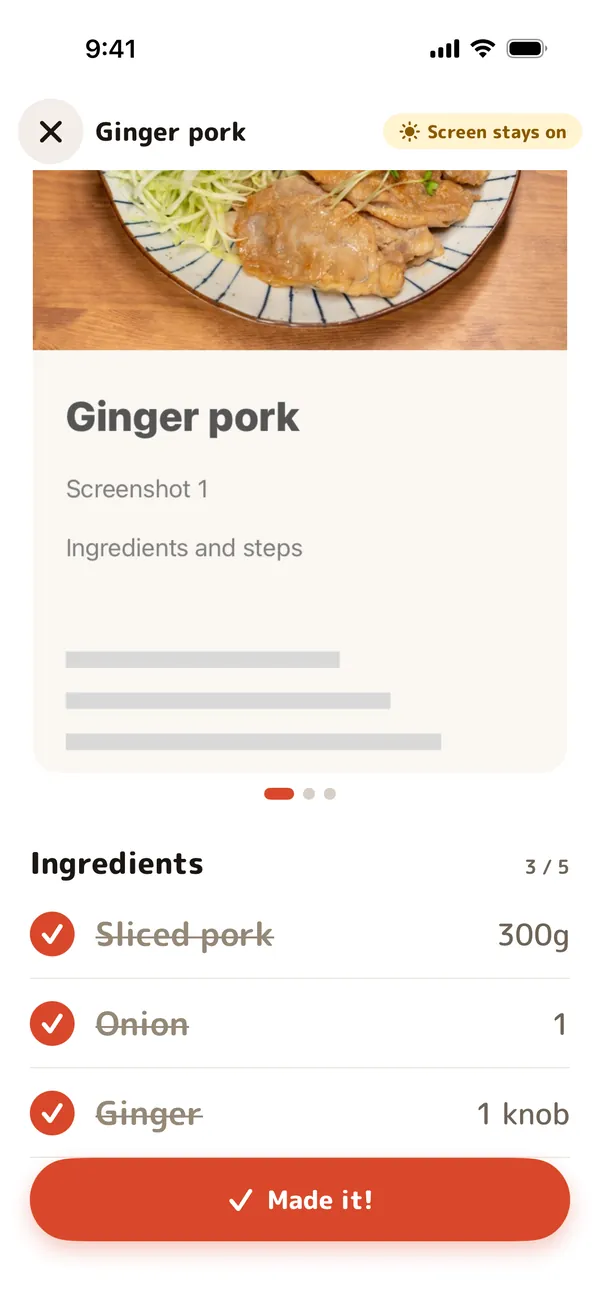
Screenshots, an ingredient checklist and your notes on one screen. The screen stays on while you cook.
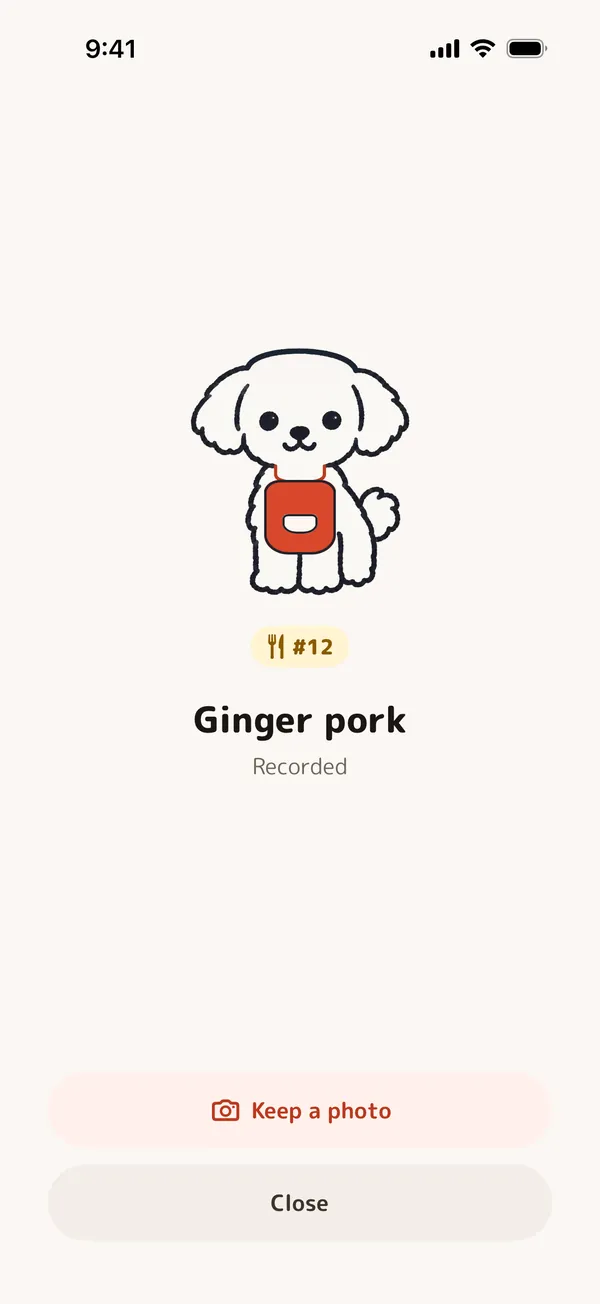
“Made it!”
Tap it after cooking and the dog celebrates. Alcook counts how often you've made each dish, and you can keep a photo of it.
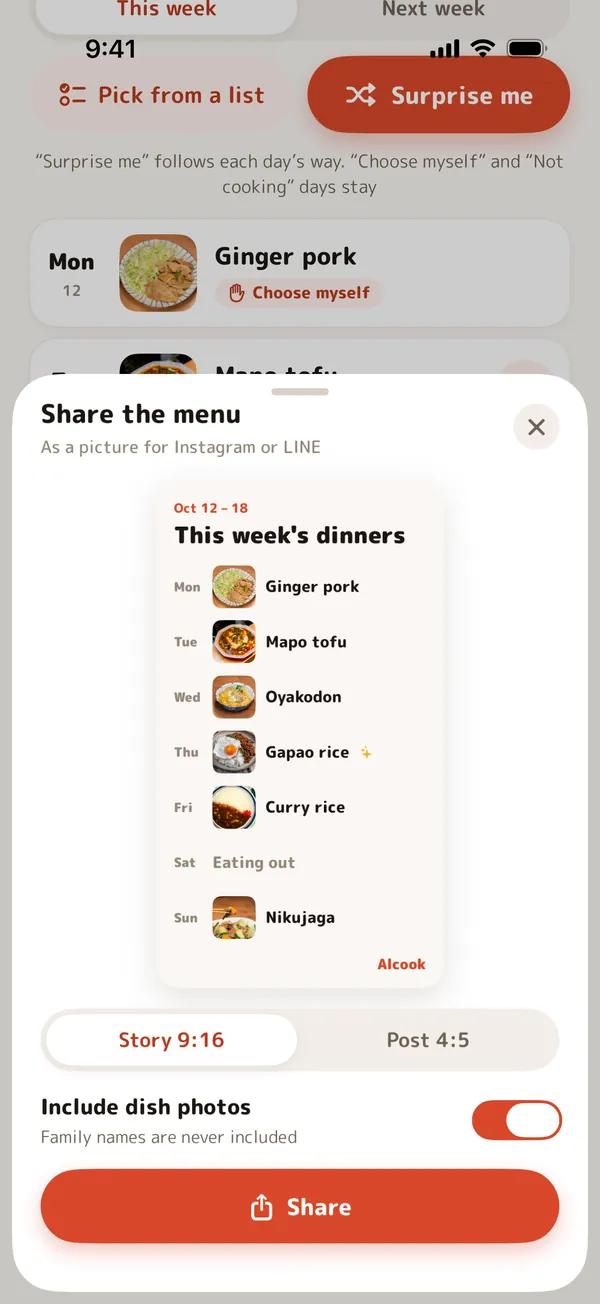
Share this week's menu
This week's dinners as one picture for a story (9:16) or a post (4:5). Family names are never included.
No sign-up, private by design
No email or phone number needed. Your own recipe book stays on your iPhone and works fully offline. No ads, no tracking. In English and Japanese.
A closer look
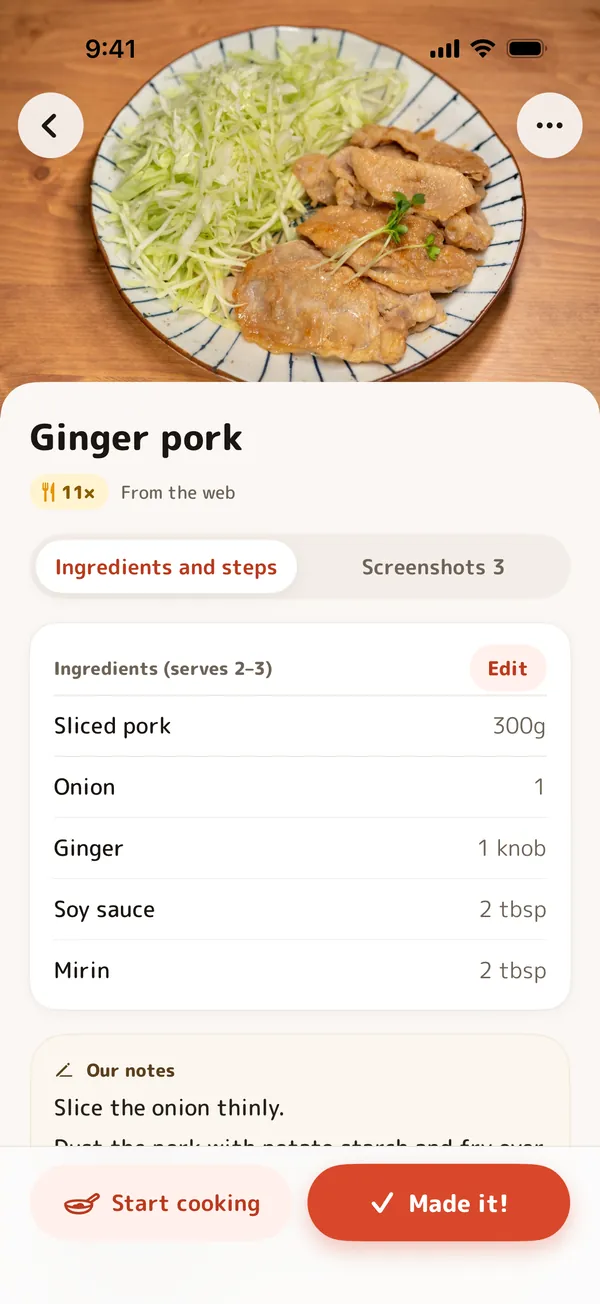
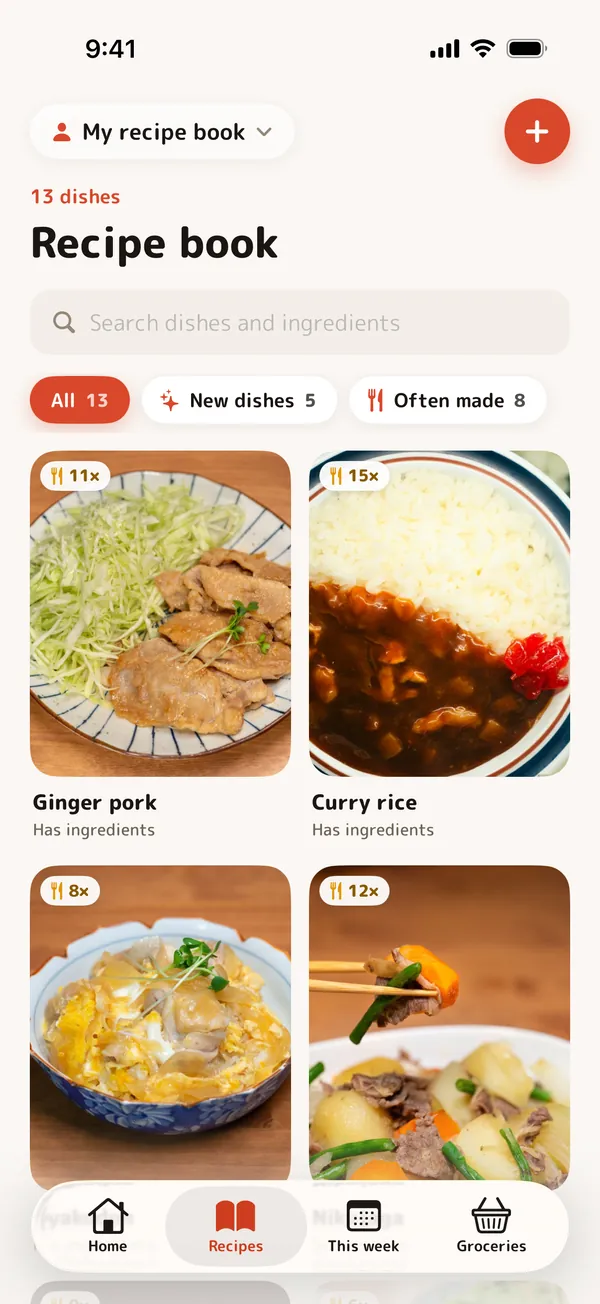
Save recipes where you find them
Screenshots, web pages and posts all go into one recipe book.
Save with screenshots
Just the dish's name and its screenshots. Quick to save (its ingredients won't be on the shopping list).
Save with ingredients
Add the ingredients and amounts and they go on the shopping list. Ingredient names you've used before are suggested.
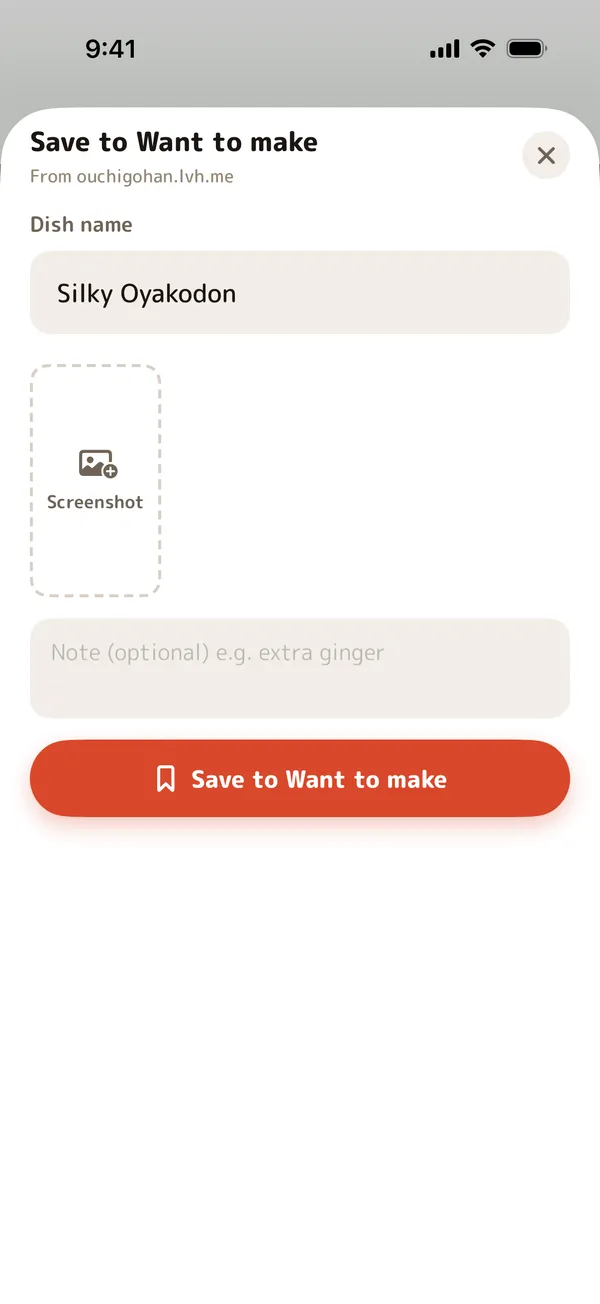
From Safari, Instagram and LINE
Save to “Want to make” from the share menu. A web page's title and link come with it; for Instagram, add a screenshot and a note.
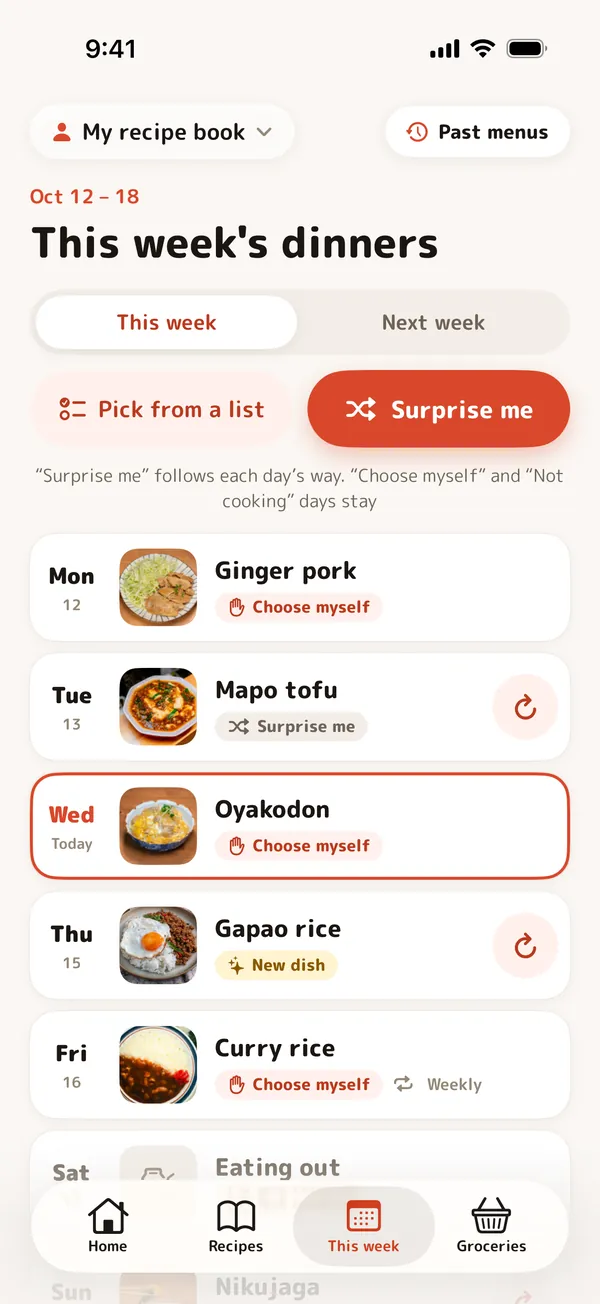
This week's dinners: just choose how
Pick how each day is decided, and Alcook puts the dish in.
Surprise me
At random from the dishes you've made before. No dish twice in the same week.
Choose myself
Pick the dish from your recipe book.
New dish
From “Want to make”: a dish you've never made yet.
Not cooking
Eating out, leftovers, or not decided.
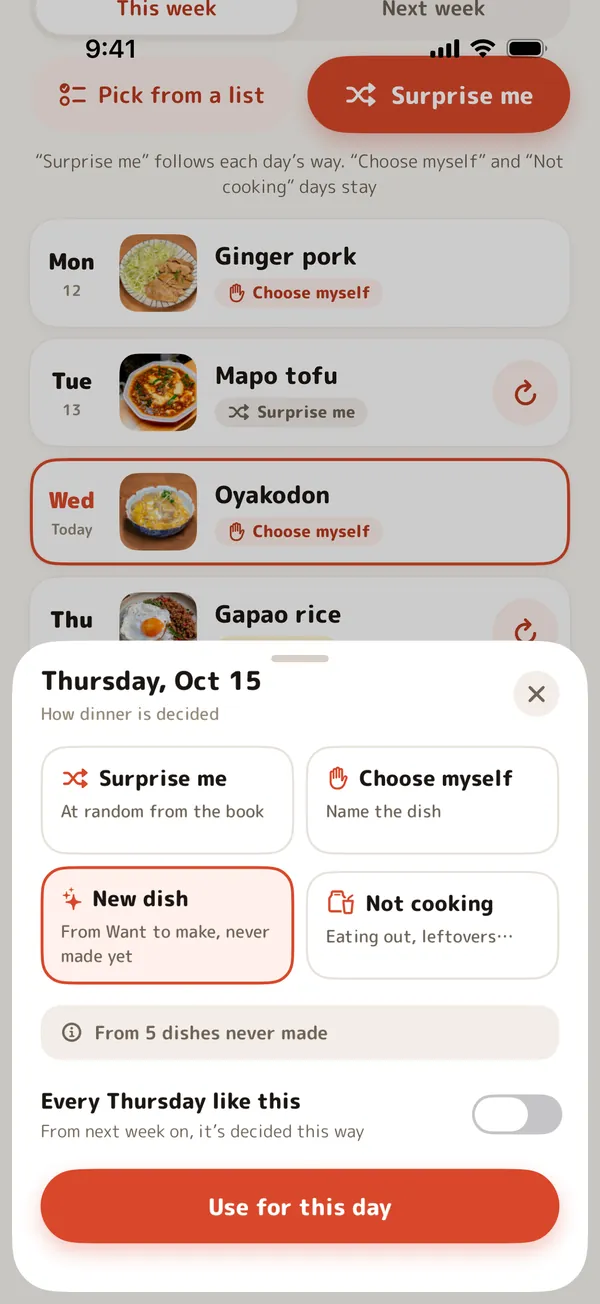
Every Friday like this
Set a day to always be decided the same way, and next week and after follow it.
Pick from a list
Choose several dishes at once, then place them on the days you like.
Next week's suggestions
At the weekend, next week's suggestions are ready and a notification lets you know. Change only the days you want, then decide.
Past menus
Decided weeks are kept, week by week. Use a good week again next week with one tap.
The shopping list, and cooking mode
What to buy comes from the week's dinners, and cooking is one screen.
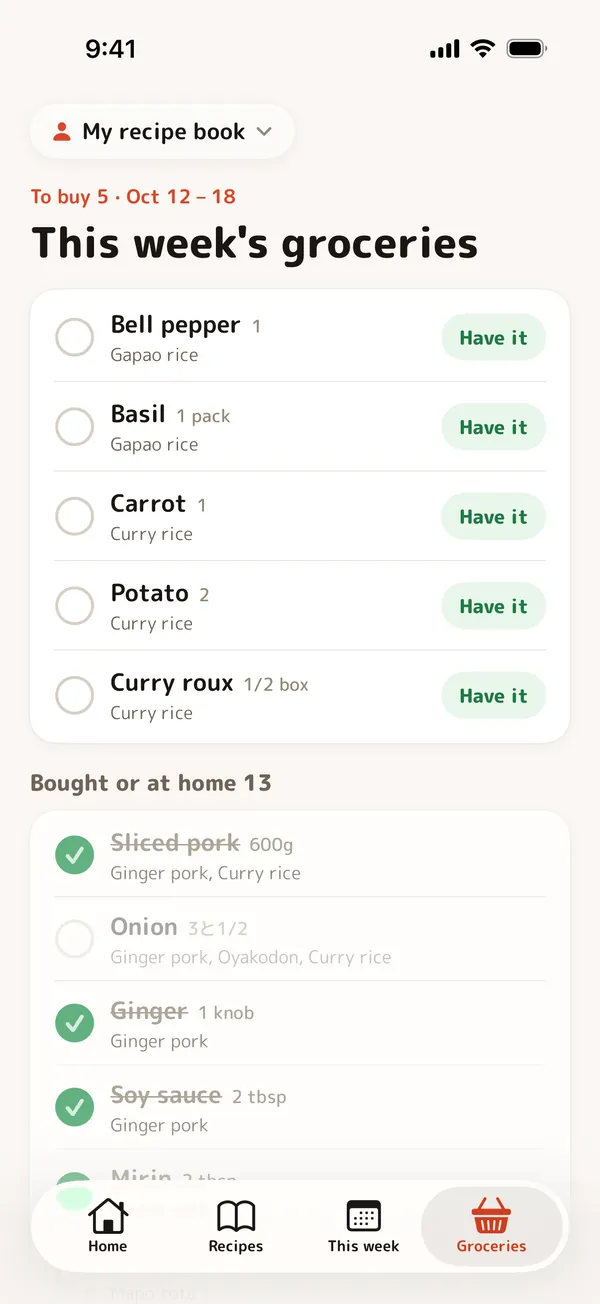
The week's ingredients in one list
Ingredients of the days that are decided, each showing which dish it's for.
Bought, or have it
Check items off as bought or already at home, and they move out of the way.
Amounts that add up
1 + 2 pieces is 3, 200 g + 1 kg is 1.2 kg, and tablespoons and teaspoons come together.
Cooking mode
Screenshots large, ingredients as a checklist, your notes below. The screen stays on.
A family recipe book
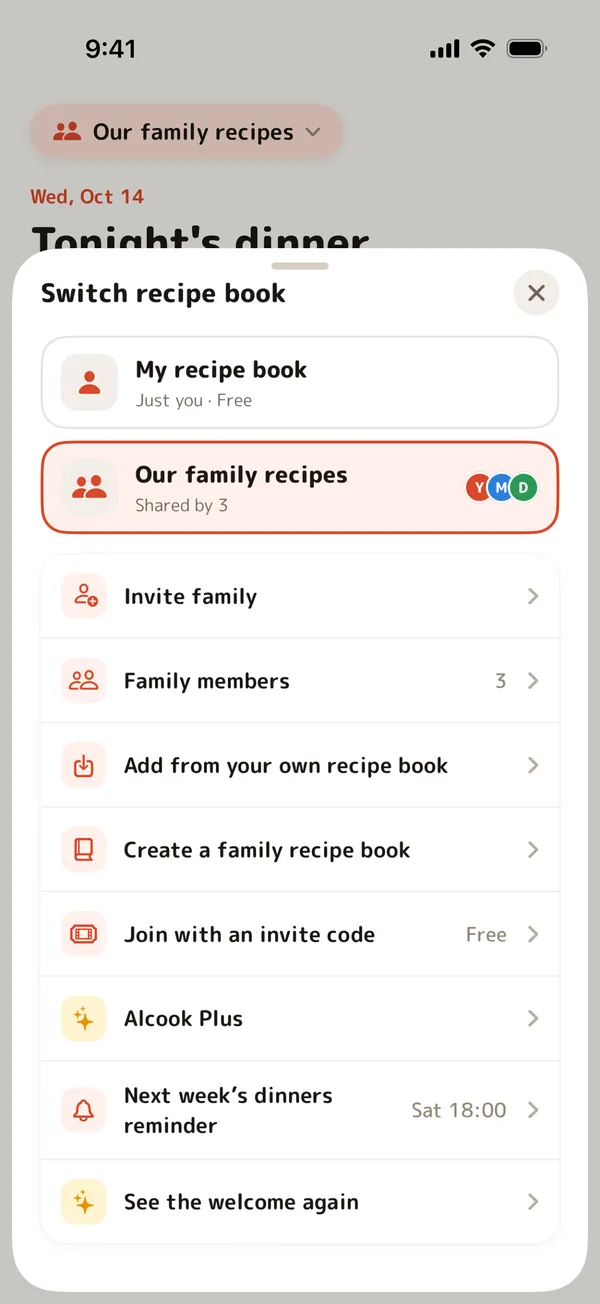
One recipe book, one meal plan and one shopping list for the whole family.
1.Create a family recipe book
Name it, and choose your name for the family: Mom, Dad, Yui. Bring recipes over from your own book.
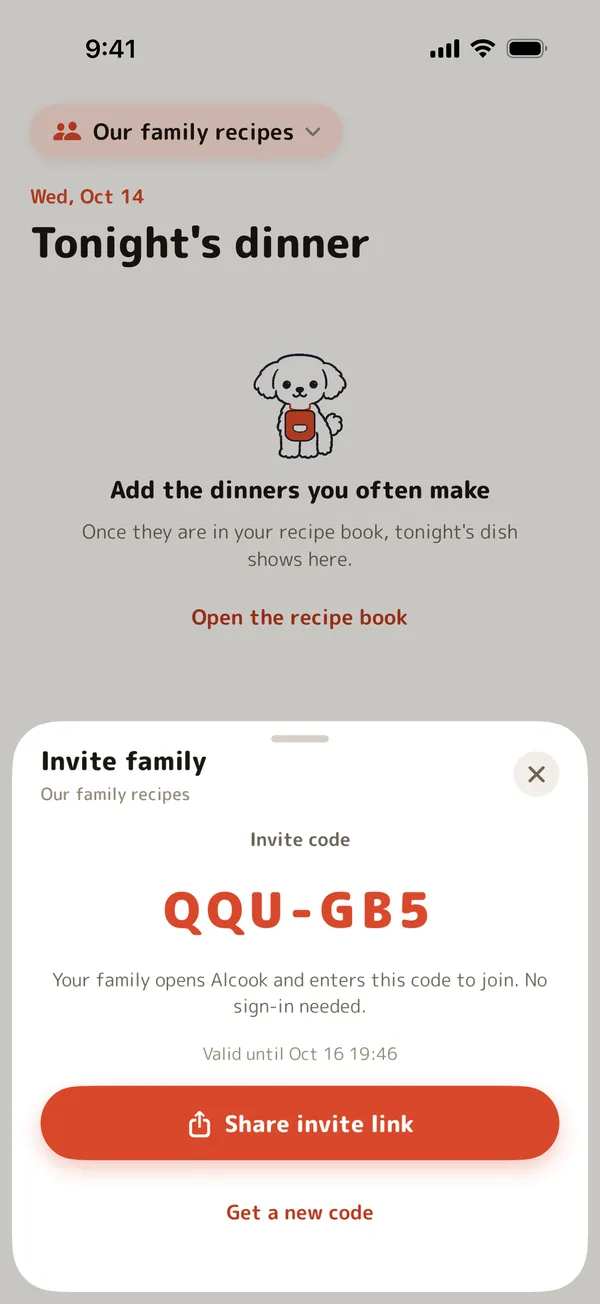
2.Invite
Send the invite code or link. A code works for 48 hours, and joining is free.
3.Everyone uses it
Recipes, the week's dinners and the shopping list stay in sync on everyone's iPhone.
Shop together
When someone checks an item as bought, it's bought on everyone's list.
Who made it
Each “Made it!” keeps the name of the family member who cooked.
No sign-up
Just enter your name for the family. No email or phone number.
Leave anytime
Leave the family recipe book whenever you like. Its recipes stay for the rest of the family.
Creating a family recipe book needs Alcook Plus; invited family members join free. Up to 20 people can share one book.
On Apple Watch
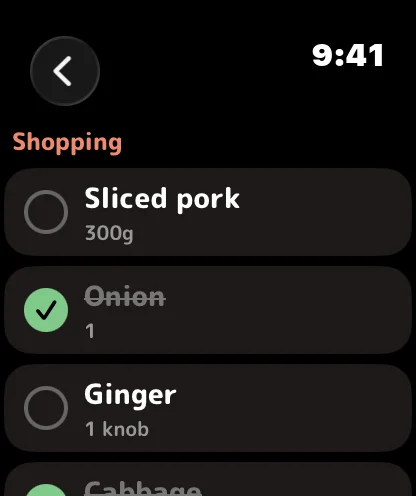
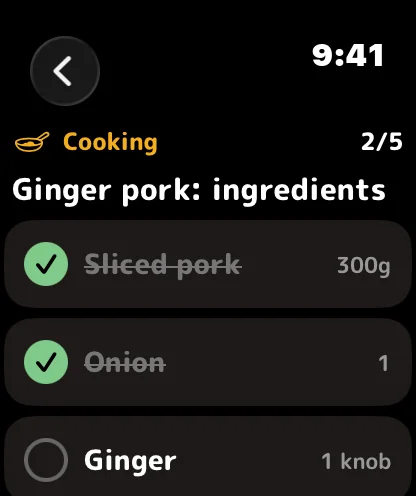
Tonight's dinner, the shopping list and the ingredients, right on your wrist.
- Watch face
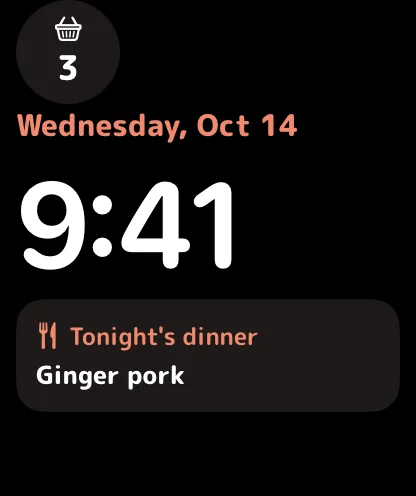
- Tonight's dinner
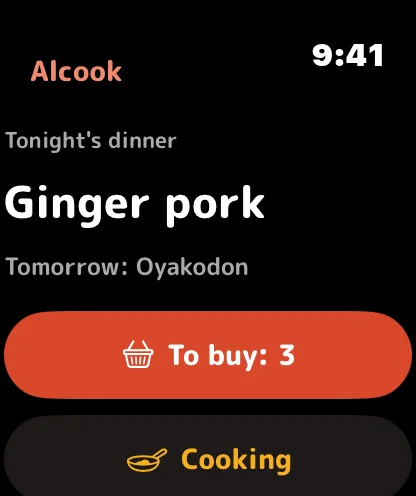
- Shopping list
- Cooking checklist
Tonight's dinner on the watch face
Add a complication and see tonight's dish at a glance.
Check off at the store
Tick off the shopping list on your wrist. Your iPhone's list follows.
Cooking checklist
Check tonight's ingredients as you go, without touching your iPhone.
Works through your iPhone
Alcook on your watch works with Alcook on your paired iPhone. No sign-in needed.
Requires watchOS 11 or later and an iPhone with Alcook installed. The Apple Watch app is free.
Widgets
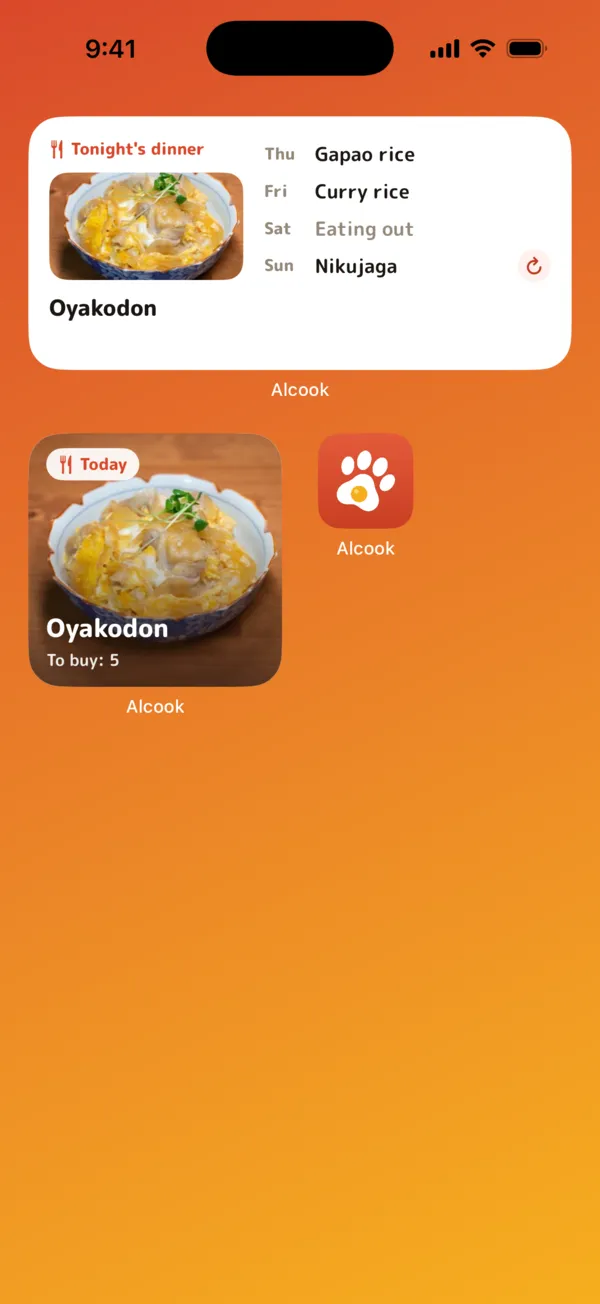
See tonight's dinner and what's left to buy without opening the app.
Home Screen
Tonight's dinner and how much is left to buy, or today and the days ahead. Reroll a “Surprise me” day right from the widget.
Lock Screen
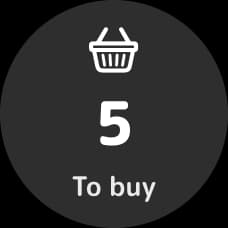
Tomorrow's dinner and the number of things left to buy, without unlocking your iPhone.

Pricing
Using it on your own is always free.
Free
¥0forever
- Your own recipe book with every feature
- Weekly dinners, the shopping list and cooking mode
- Apple Watch & widgets
- Join family recipe books you're invited to
Alcook Plus
1 month free¥100/ month
or ¥1,000 / year
- Create a family recipe book
- Share recipes, the week's dinners and the shopping list with your family
- Everything in Free
If the paying member's Plus ends, the family recipe book becomes view-only for everyone. Any member with Plus can take over to keep it going.
Alcook Plus is an auto-renewable subscription. Both plans start with a 1-month free trial if you haven't used it before. Payment is charged to your Apple Account when the trial ends (or at confirmation of purchase, without a trial). It renews automatically unless auto-renew is turned off at least 24 hours before the end of the current period. Manage or cancel it anytime in your App Store account settings. Prices shown are for Japan, tax included; prices in other countries or regions may differ and are shown in the app. Terms of Use / Privacy Policy
Your own recipe book stays on your iPhone
The recipes, screenshots, dish photos, meal plans and shopping list in your own recipe book are stored only on your iPhone and never sent to our server. A family recipe book is stored on our server in Tokyo (AWS) so your family can share it. No ads, no analytics, no tracking, and we never sell your data.
Read the Privacy Policy